As a resident of Ireland, I have found IPTV Smarters Pro to be my preferred media player for accessing Irish television content. This application serves as a powerful tool that allows me to load and play my own IPTV playlists seamlessly across various devices, including Android, iOS, Smart TVs, and Firestick.
It’s important to note that this app functions purely as a player, meaning I need a separate IPTV subscription to stream live channels, films, and series. The user-friendly interface makes navigating through hundreds of Irish channels effortless, even for those who are new to this technology.
My journey with this smart IPTV solution has been enlightening, as it stands out among other video player options available today. With support for high-quality streaming up to 4K resolution, it significantly enhances my viewing experience, especially when enjoying Irish sports and entertainment.
In this guide, I will cover everything from installation to advanced features, sharing my firsthand experience to help you configure your own playlists for reliable Irish TV streaming.
Key Takeaways
- IPTV Smarters Pro is a versatile media player for streaming Irish TV content.
- The app requires a separate IPTV subscription for access to channels.
- Its user-friendly interface simplifies navigation for all users.
- High-quality streaming capabilities enhance the viewing experience.
- The guide will provide insights on installation and playlist configuration.
Understanding IPTV Smarters Pro and Its Purpose
In my experience, IPTV Smarters Pro serves as an essential tool for streaming. This powerful media player allows users to access live TV, movies, and series through their own playlists, including formats like M3U and Xtream Codes API. However, it is crucial to understand that this app functions purely as a player and does not provide any content itself.
The application acts as a bridge between an IPTV provider’s server and my viewing device, decoding streams in real time for smooth playback. This means that users must supply their own content through external subscriptions, ensuring they have the right to access the media they wish to enjoy.
Legal and copyright considerations are vital when using this app. The developer, Paul Kenneth, explicitly states that IPTV Smarters Pro does not offer any IPTV services or digital content. Users must be aware of their responsibilities regarding the content they access.
Additionally, the app’s terms of use and privacy policy outline the guidelines governing its usage. Understanding these terms helps ensure a compliant and enjoyable experience.
IPTV Smarters has evolved into a trusted platform, with millions of users worldwide relying on it for their daily streaming needs. The purpose of this application is to organise and present content in a visually appealing, easy-to-navigate format.
Moreover, the app supports multiple playlist formats, making it compatible with virtually any IPTV subscription available in Ireland. It also handles various network protocols and file extensions, ensuring broad compatibility with different streaming sources.
Why I Choose IPTV Smarters Pro for Streaming Irish TV
For seamless access to Irish television, I rely on IPTV Smarters Pro as my preferred app. This player stands out for its compatibility with Irish IPTV providers, enabling me to watch live channels like RTÉ, TG4, and Virgin Media Television without hassle.
One of the key advantages of this app is its ability to deliver crystal-clear 4K and HDR streaming. This feature transforms my viewing experience, especially when watching Gaelic games or Premier League matches on a large-screen television.
The customisable viewing experience is another reason I appreciate this media player. I can easily organise my favourite Irish channels into a personalised list, allowing for quick access during peak viewing times.
Moreover, the player’s multi-device support is incredibly convenient. I can start watching a programme on my living room Smart TV and continue on my iPad in the kitchen without missing a moment.
Reliability is paramount, and I have found that the streaming performance is excellent, with minimal buffering when paired with a quality subscription service. This consistency keeps me coming back to the app.
Additionally, the app’s capability to handle various content types—such as live TV, video on demand, and catch-up services—makes it a comprehensive solution for all my Irish television needs.
I also find it impressive that this professional-grade media player offers features typically found in premium applications, yet remains free to download and use.
Finally, the watch live functionality, combined with an electronic programme guide, ensures I never miss important broadcasts from both Irish and international channels.
Key Features of IPTV Smarters Pro
Exploring the features of IPTV Smarters Pro reveals why it stands out in the realm of streaming applications. This app is packed with functionalities that enhance the viewing experience for users like me. Below, I will detail some of the standout features that make this media player an exceptional choice for streaming Irish television.
High-Quality Streaming: 4K and HDR Support
The support for 4K and HDR streaming transforms my viewing experience. It delivers cinema-level picture quality with vibrant colours and sharp details on compatible displays in my home. This enhancement is particularly noticeable when watching sports or films, where clarity and colour depth significantly improve the overall enjoyment.
Multiple Playlist Formats and API Support
One of the key advantages of IPTV Smarters Pro is its flexibility in connecting with various IPTV providers. The app supports multiple playlist formats, including M3U URLs and Xtream Codes API. This versatility ensures that I can easily integrate any Irish IPTV service without worrying about compatibility issues.
Parental Controls and Viewing Management
The parental control system is another noteworthy feature. It allows me to lock specific channels, categories, or video-on-demand content with a secure PIN code. This functionality keeps my family’s viewing environment safe and ensures that inappropriate content is easily managed.
Additionally, the app offers a comprehensive Electronic Programme Guide (EPG) in XMLTV and GZIP formats. This guide displays current and upcoming broadcasts across all channels, making it easier for me to plan my viewing schedule.
Here’s a summary of the key features:
| Feature | Description |
|---|---|
| 4K & HDR Streaming | Cinema-level picture quality with vibrant colours and sharp details. |
| Multiple Playlist Formats | Supports M3U, Xtream Codes API, and JSON for flexibility. |
| EPG Support | Comprehensive electronic programme guide for easy navigation. |
| Parental Control | Lock and hide content with a secure PIN code. |
| Live TV Recording | Capture broadcasts for later viewing. |
| Picture-in-Picture (PiP) | Watch while multitasking on your device. |
| Favourites & Recent Channels | Quick access to most-watched Irish stations. |
| Multi-Protocol Support | Compatible with FTP, HTTP, MMS, RTMP, and more. |
| Subtitles Support | Enjoy content in multiple languages with audio track selection. |
These features collectively make IPTV Smarters Pro a comprehensive solution for all my Irish television needs. The app’s capabilities ensure that I have a smooth and enjoyable streaming experience.
Installing IPTV Smarters Pro on Popular Devices
Setting up IPTV Smarters Pro on various devices is a straightforward process that enhances my streaming experience. This application is available on multiple platforms, ensuring that I can enjoy my favourite Irish channels no matter where I am. Below, I will guide you through the installation process for Android, iOS, Smart TVs, and Firestick.
Android and iOS Setup
To begin, I walk through the straightforward process of installing IPTV Smarters Pro on my Android phone. I download it directly from the Google Play Store, ensuring my device runs Android 5.0 or higher. The app is user-friendly and integrates seamlessly with my existing playlists.
For my iPhone and iPad, I set up the application via the Apple App Store. It requires iOS 16.0 or later and occupies approximately 211.3 MB of storage space. The installation is quick, allowing me to start streaming in no time.
Installing on Smart TVs and Firestick
When it comes to my Amazon Firestick, I detail my experience using the Downloader application. I enter the shortcode 3032737 or the direct URL aftv.news/3032737 for quick APK sideloading. Before I can proceed, I ensure that I enable Apps from Unknown Sources in the Fire TV developer options.
Installing IPTV Smarters on my Samsung Smart TV is equally simple. I navigate to the Smart Hub, use the search function to locate the app, and install it directly from the Samsung app store. The process is straightforward and efficient.
For my LG Smart TV, I open the LG Content Store, search for “IPTV Smarters,” and install it without needing any additional settings or configurations. This ease of access is a significant advantage of the application.
Across all devices, the installation process remains consistent, with the app adapting its interface seamlessly for both mobile touchscreens and large television displays. I emphasise that the application is free to download on all platforms, with no hidden charges for the base version of the player.
How to Configure Playlists and Start Watching
Configuring playlists on IPTV Smarters Pro is a straightforward task that opens the door to endless viewing possibilities. After installing the app, I can easily set up my playlists and begin enjoying my favourite Irish channels.
To start, I tap the “Add New User” or “Add Playlist” button upon launching the app. This step is essential for connecting to my content provider.
Adding M3U and Xtream Codes Playlists
Connecting to my playlists can be done in several ways:
- For an Xtream Codes API connection, I enter the server URL, my username, and password exactly as provided by my Irish IPTV subscription service.
- Using the M3U URL method, I simply paste the playlist link supplied by my provider, and the app automatically loads all available channels and video-on-demand content.
- Additionally, I can use JSON or external URL formats for those whose providers offer alternative playlist delivery methods.
Managing Users and Playlists within the App
The app supports multiple playlists, allowing me to maintain separate playlists for different content sources. This feature enables me to switch between them effortlessly.
Moreover, the app handles user profiles, enabling multiple family members to have their own personalised playlist configurations and viewing preferences on a single device. This way, everyone can enjoy their favourite content without interfering with each other’s settings.
Once I configure my playlists, the loading process is typically fast. The app can parse large channel lists in seconds, making content available almost immediately. I also appreciate that the app remembers my settings, so I do not need to re-enter credentials each time I launch the player.
It’s important to note that I must obtain playlist credentials from a legitimate provider, as the app itself does not supply any content or subscription details. This ensures a smooth and compliant streaming experience.
Navigating the User Interface and App Experience
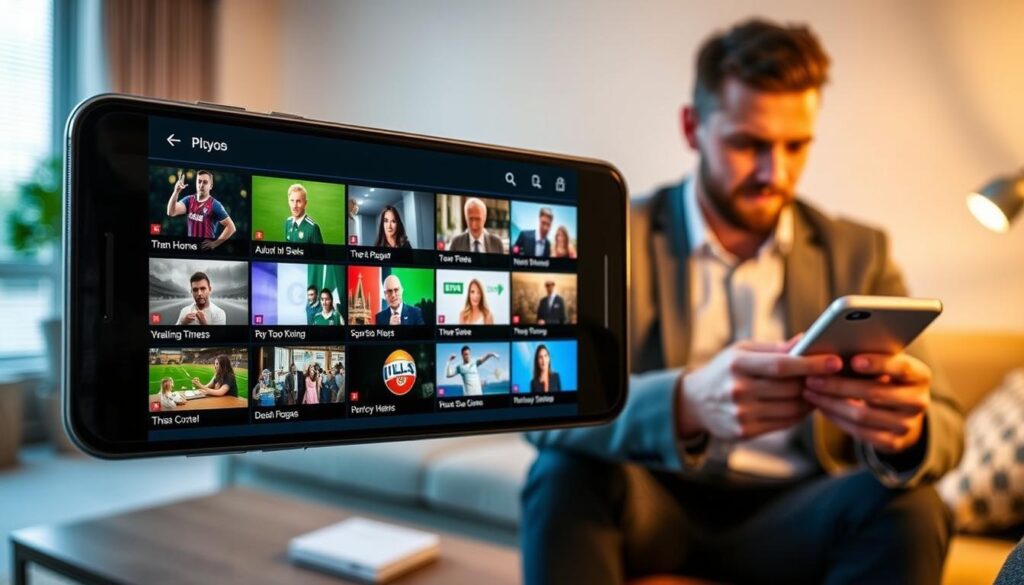
The interface of IPTV Smarters Pro offers a seamless experience, enhancing how I interact with my favourite content. The layout is visually appealing and intuitive, making it easy to browse through hundreds of live channels and on-demand content without feeling overwhelmed.
The electronic programme guide (EPG) integrates seamlessly into the interface. It displays current and upcoming programmes in a familiar grid format, resembling traditional television guides. This familiarity makes it easy for me to keep track of what’s on.
I appreciate the powerful search functionality that allows me to quickly find specific channels, films, or series by name. This feature saves me time when I know exactly what I want to watch.
Additionally, the favourites and popular content sections learn from my viewing habits. They present my most-watched Irish channels and programmes front and centre, making access even quicker.
The TV archive and catch-up features are incredibly useful. They let me access previously broadcast content directly through the user-friendly interface, eliminating the need for a separate application.
Another advantage is that the interface adapts responsively between my smartphone, tablet, and television. It maintains consistency while optimising the layout for each screen size, which is a significant benefit.
Fast navigation is another highlight. I have experienced no lagging when switching between menus, a quality praised by other users in app store reviews. This smooth operation enhances my overall experience.
The content is organised into logical categories—live TV, movies, and shows—making it simple to browse different types of media without confusion. Overall, the app experience feels polished and professional, comparable to premium streaming platforms I have used in the past.
Reliability and Performance: My Personal Insights on IPTV Smarters Pro
The reliability of IPTV Smarters Pro has consistently impressed me throughout my streaming journey. When paired with a stable internet connection and a quality IPTV provider, the streaming performance is smooth with minimal buffering. This consistency has made it a reliable choice for my daily viewing needs.
However, I acknowledge that some users have reported issues with advertisements in the free version. Particularly on Android devices, commercials can interrupt the browsing experience before content loads. This feedback is crucial, as it highlights a common concern among users.
To address this, the PRO subscription option removes all advertisements and unlocks unlimited playlists. I found this to be a worthwhile investment for uninterrupted viewing of Irish television. The added benefits significantly enhance my overall experience.
Moreover, the video player adeptly handles different stream qualities. It automatically adjusts resolution based on available bandwidth, maintaining stable playback without requiring manual intervention. This feature has been particularly beneficial during peak viewing times.
On my Firestick and Smart TV, the app’s performance has been impressive. Fast channel switching and responsive menu navigation make it easy to enjoy my favourite content, even with large playlists loaded. I appreciate this level of efficiency.
Some users have shared negative feedback about setup difficulties. I clarify that these issues typically stem from incorrect provider credentials rather than faults within the application itself. Understanding this distinction is essential for a smooth setup process.
Furthermore, the developer regularly releases bug fixes and performance improvements. This commitment to enhancing the player’s stability and user experience is commendable. It reassures me that I am using a well-supported application.
The built-in video player supports a wide range of file extensions and network protocols. This ensures compatibility with virtually any streaming source my provider offers, making it a versatile choice for content consumption.
Overall, my experience with IPTV Smarters Pro has been positive. The media player performs reliably for daily use across multiple devices in my household, allowing me to enjoy my favourite Irish channels without hassle.
Updates, Support, and Privacy Considerations
The ongoing development of this application showcases the dedication of its creator to enhance user experience. I have observed an impressive frequency of updates released by developer Paul Kenneth. Multiple version iterations appear monthly, demonstrating active maintenance and responsiveness to user feedback.
Recent updates have focused on bug fixes and performance improvements. Enhancements include improved search logic, better subtitle setups, and the addition of a history tab. These updates ensure that the app remains user-friendly and efficient.
Privacy considerations are also outlined in the app’s policy. While identifiers may be used for tracking across other companies’ apps and websites, usage data and diagnostics are not linked to individual identities. This transparency is reassuring for users like me.
I reviewed the terms of use and copyright information, confirming that Paul Kenneth holds the copyright. The application is categorised under Entertainment with a 4+ age rating, making it suitable for a wide audience.
Additionally, the app supports an impressive 29 languages, making it accessible to a diverse user base across Ireland and beyond. English is the primary language, ensuring clarity for most users.
The in-app purchase model is noteworthy. The PRO subscription removes advertisements and unlocks unlimited playlists, while the base application remains free to download and use. This flexibility allows users to choose their preferred experience.
The app is available across multiple stores, including the Apple App Store, Google Play Store, Samsung app store, and LG Content Store. This broad accessibility ensures that anyone can easily find and install the application.
Lastly, the developer actively responds to user reviews in the app store. Addressing both positive feedback and concerns gives me confidence in the long-term support for the application. Importantly, the terms clearly state that the app is a media player only, reinforcing the legal framework users must operate within when using the software.
Conclusion
My journey with this application has revealed its strengths as a reliable media player for streaming. I can confidently say that this player is a feature-rich option for anyone looking to enjoy Irish television.
This video player functions purely as a platform for content, requiring users to connect their own IPTV subscription from a legitimate provider. The 4K streaming quality and user-friendly interface have significantly enhanced my viewing experience.
I encourage fellow users in Ireland to consider this application as their go-to choice. The free download and straightforward setup process make it accessible for everyone.
For those looking for an ad-free experience, the PRO subscription is a worthwhile investment. Frequent updates ensure the application stays current with evolving streaming technologies.
Overall, this media player has transformed how I consume Irish television, providing a professional-grade service that rivals costly alternatives. I invite you to follow the installation and configuration steps shared in this guide to begin your own journey with this powerful application.