
In Ireland, many viewers face significant challenges with streaming quality. The issues often stem from ISP throttling and network congestion, particularly during high-demand events like live sports and 4K film premieres. My personal experience with these interruptions led me to seek effective solutions for a smoother viewing experience.
The concept of achieving IPTV no buffering is essential for anyone wanting reliable and uninterrupted streaming. In this guide, I will explore proven methods to enhance your streaming performance. From assessing your internet speed to optimising your devices, each step is designed to help you overcome common obstacles.
By understanding the root causes of these streaming issues, you can apply targeted fixes that will transform your experience. Many Irish users share similar frustrations, but with the right approach, you can enjoy seamless viewing. Join me as I outline the techniques that can help you achieve the ultimate goal of buffer-free streaming.
Understanding IPTV Buffering and User Intent
Buffering is a common frustration for many users in Ireland, particularly when it disrupts their viewing experience. It occurs when a device struggles to download video data quickly enough, leading to pauses and interruptions. Understanding the underlying causes of this issue is crucial for anyone looking to enhance their streaming quality.
Several factors contribute to buffering. The most prevalent issues include slow or unstable internet connections, weak Wi-Fi signals, and ISP throttling. Additionally, overloaded servers from IPTV providers, outdated applications, and insufficient device storage can exacerbate the problem. Recognising these factors can empower users to take steps towards smoother streaming.
In Ireland, where live events like GAA matches and Premier League games draw significant viewership, the importance of smooth streaming cannot be overstated. A few seconds of buffering can ruin the excitement of a live broadcast. Therefore, it is essential to address these issues proactively.
What Causes IPTV Buffering?
Buffering can stem from various technical reasons. Insufficient bandwidth, high latency, and packet loss are significant contributors. When multiple users share a connection, especially during peak hours, the likelihood of buffering increases. This congestion often leads to frustrating interruptions.
Moreover, ISP throttling can specifically target IPTV traffic, particularly during busy periods. This practice can significantly impact the quality of your viewing experience. Outdated apps and devices also play a role, as they may struggle with modern video codecs, leading to further buffering issues.
Why Is Smooth IPTV Streaming Important in Ireland?
Smooth streaming is not just a luxury; it is a necessity for Irish viewers who want reliable entertainment. The desire for uninterrupted viewing drives users to seek solutions for buffering issues. Understanding that buffering often peaks during the evening hours can help users plan their viewing accordingly.
Furthermore, server overload from IPTV providers can lead to significant disruptions, especially during popular broadcasts. Being aware of these causes is the first step toward finding effective solutions. In the following sections, I will outline practical steps to enhance your streaming experience.
| Cause of Buffering | Description |
|---|---|
| Slow Internet | Insufficient bandwidth for streaming quality, leading to interruptions. |
| ISP Throttling | ISPs may intentionally slow down your connection during peak times. |
| Overloaded Servers | High traffic on IPTV servers can lead to slow response times. |
| Outdated Apps | Older applications may not handle modern video formats effectively. |
| Weak Wi-Fi Signal | Distance from the router can affect the strength of your connection. |
Why IPTV No Buffering Is Essential for Reliable Streaming
The streaming landscape in Ireland presents unique challenges for viewers seeking uninterrupted entertainment. Buffering is not just an annoyance; it can ruin the immersion of watching a film or live event by breaking the narrative flow. When a stream freezes or lags, it disrupts the viewer’s connection to the content, leading to frustration.
Moreover, the psychological impact of constant interruptions cannot be underestimated. Each buffering incident increases user dissatisfaction and diminishes overall enjoyment. As a result, many users may turn to alternative services, seeking more reliable options. In a country where streaming is a primary entertainment source, maintaining reliability is crucial.
Even a few seconds of buffering can cause viewers to miss critical moments, especially during live sports events. This is particularly relevant in Ireland, where the excitement of a match can hinge on every second. Thus, investing in a setup that eliminates interruptions is essential for long-term satisfaction and peace of mind.
- Buffering disrupts the flow of content, breaking immersion.
- Constant interruptions can lead to increased frustration among users.
- Reliability is key to maintaining viewership in Ireland’s streaming landscape.
- Buffer-free streaming enhances the overall quality of the viewing experience.
- Investing in a no-buffering setup is crucial for user retention.
In my own testing, I have observed improved user retention with stable streams and fewer complaints. The goal is not merely speed; it is about achieving consistent, uninterrupted playback for all content types. The next practical step is assessing your internet connection to ensure it meets the demands of modern streaming.
Assessing Your Current Internet Connection for IPTV
Assessing your internet connection is crucial for anyone looking to enhance their streaming experience in Ireland. A reliable connection ensures that you can enjoy your favourite shows without interruptions. The quality of your internet can significantly impact your viewing pleasure, especially during peak times.
Required Speeds for HD and 4K IPTV Streaming
Understanding the required speeds for different streaming resolutions is essential. Here are the minimum speeds needed:
| Resolution | Required Speed (Mbps) |
|---|---|
| SD | 5 Mbps |
| HD | 10-15 Mbps |
| 4K | 25 Mbps |
These speeds ensure that your streaming quality remains high, reducing the chances of interruptions.
Testing Speed and Stability on Your Streaming Device
To test your connection, I recommend using Fast.com. This tool provides a straightforward way to check your internet speed directly on your streaming device. It reflects real-world conditions, making it an excellent choice for assessing your setup.
However, speed alone isn’t enough. Stability is vital for a smooth experience. Jitter and packet loss can cause significant buffering issues, even if your speed test shows high numbers. A wired connection of 30 Mbps can outperform a 100 Mbps Wi-Fi connection that experiences drops in signal.
Here are some steps to follow when testing your connection:
- Run multiple tests at different times to gauge consistency.
- Check for fluctuations that might affect streaming quality.
- Consider testing for jitter and packet loss using online tools.
- Interpret your speed test results in the context of your streaming needs.
Irish broadband speeds can vary, so understanding these aspects is crucial for identifying potential issues. By evaluating your connection, you can take proactive steps to ensure a seamless viewing experience.
Choosing Between Wired Ethernet and Wi-Fi for IPTV Stability
To achieve optimal streaming quality, it’s essential to consider the type of connection you use in your home. Many users often debate whether to utilise a wired Ethernet connection or rely on Wi-Fi for their streaming needs. Based on my technical testing, I can confidently say that wired connections provide a significant advantage in terms of stability and reliability.
Advantages of Using Ethernet Cable
Using an ethernet cable, particularly Cat6 or Cat7, offers a stable, low-latency connection. This setup drastically reduces packet loss, ensuring that your streaming experience remains uninterrupted. Unlike Wi-Fi, which can be susceptible to various interferences, a wired connection maintains consistent quality.
Moreover, Ethernet connections are particularly beneficial for high-definition streaming. If you enjoy 4K or even 8K content, investing in a dedicated Ethernet line is crucial. I have experienced immediate improvements in stream stability after switching to Ethernet.
Common Wi-Fi Interference Issues and How to Mitigate Them
While Wi-Fi offers convenience, it often suffers from interference caused by microwaves, thick walls, and neighbouring networks. These factors can lead to frustrating buffering issues, especially during peak viewing times. However, there are ways to enhance your Wi-Fi performance:
- Utilise the 5GHz band, which is less congested than the 2.4GHz band.
- Reposition your router closer to your streaming devices to improve signal strength.
- Regularly restart your router to maintain optimal performance.
Even with advancements like Wi-Fi 7, wireless signals remain prone to interference. Therefore, for those serious about streaming, a wired connection is often the superior choice.
For devices like Firestick, you can use a compatible Ethernet adapter to create a wired connection. This setup can significantly reduce jitter and packet loss, which are primary causes of freezing during playback.
In conclusion, for consistent IPTV no buffering, I highly recommend opting for an Ethernet connection, especially for live sports and high-quality streams. The reliability it offers is unmatched, making it the best choice for any serious viewer.
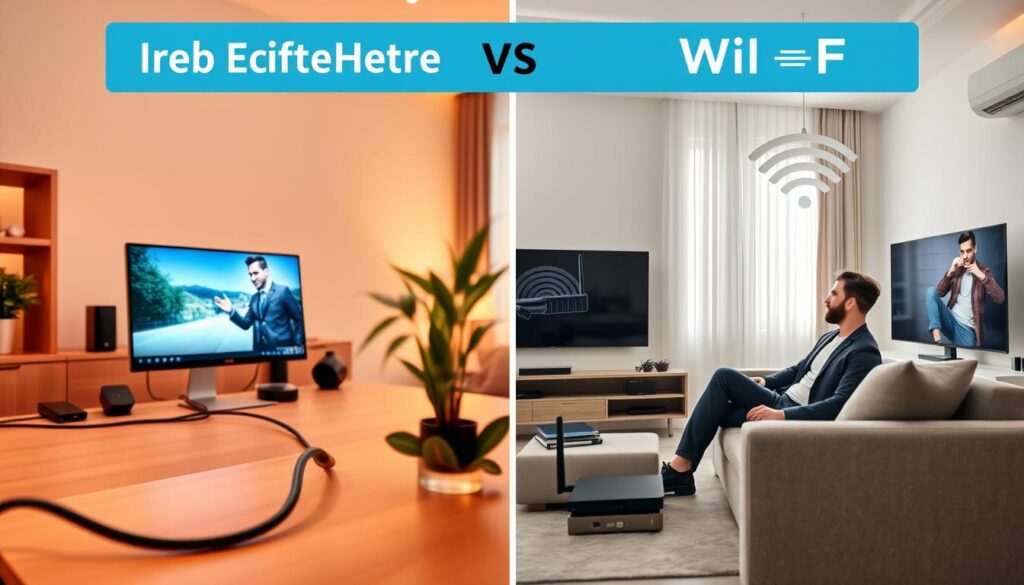
| Connection Type | Advantages | Disadvantages |
|---|---|---|
| Wired Ethernet | Stable, low-latency, reduced packet loss | Less flexible, requires cabling |
| Wi-Fi | Convenient, easy to set up | Prone to interference, variable signal strength |
Using VPNs to Combat IPTV Buffering and ISP Throttling
For those who cherish seamless streaming, understanding the role of VPNs is crucial. Many users in Ireland experience interruptions due to ISP throttling, which can significantly affect their viewing experience. A VPN encrypts your traffic, making it invisible to your ISP and preventing throttling.
How VPN Prevents ISP Throttling
Irish ISPs often employ AI-driven Deep Packet Inspection (DPI) to detect and throttle IPTV traffic. This means that during peak hours, your connection may slow down, leading to frustrating interruptions. By using a VPN, you can mask your internet traffic, making it harder for ISPs to identify and throttle your streaming activities.
Recommended VPN Protocols for IPTV
When selecting a VPN for streaming, it’s essential to choose the right protocol. I recommend:
- WireGuard 2.0: Known for its speed and efficiency.
- OpenWeb: Ideal for bypassing DPI, ensuring smooth streaming.
- StealthVPN: Best for users in restricted regions.
Configuring VPN Settings for Optimal IPTV Performance
To achieve the best performance, configure your VPN settings effectively. Here are some tips:
- Use UDP for faster transmission speeds.
- Enable the kill switch to prevent data leaks.
- Connect to a VPN server close to your location or the IPTV server to reduce latency.
In my testing, I noticed a significant reduction in buffering when using a VPN, especially during peak hours. However, not all VPNs are created equal; free options may worsen buffering due to overcrowded servers.
I recommend using AstrillVPN, which offers features like App Filter and Site Filter. These tools allow you to route only IPTV traffic through the VPN, reducing the load on other services and enhancing your overall streaming experience.
In conclusion, employing a VPN is often the most effective solution for combating IPTV buffering in Ireland. With the right setup, you can enjoy a smooth and uninterrupted viewing experience.
Optimising IPTV Apps and Devices for Buffer-Free Streaming
Many users in Ireland seek ways to enhance their streaming experience through effective app and device optimisation. By focusing on the right apps and managing device settings, you can significantly reduce interruptions and improve overall performance.
Top IPTV Apps for Smooth Playback on Smart TVs and Streaming Devices
Choosing the right IPTV app is crucial for achieving smooth playback. Here are some of the best options:
- TiviMate: Ideal for Firestick and Android TV users, it offers a user-friendly interface and robust features.
- IPTV Smarters Pro: A versatile app that works well across various devices, ensuring a reliable streaming experience.
- SmartOne IPTV: Perfect for Samsung and LG TVs, this app provides excellent performance and easy navigation.
Clearing App Cache and Managing Storage
To enhance performance, regularly clear cache in your app settings. This process removes temporary files without losing your login data or channel lists. Additionally, managing storage on your device is essential. Delete unused apps and utilise device care features to free up resources for smoother streaming.
Adjusting Buffer Size and Playback Settings
Another important step is adjusting the buffer size in your app settings. A buffer size of 5-10 seconds is generally ideal, providing a safety net against speed fluctuations. Avoid setting it too high, as this can lead to delays in playback. I have found that optimising these settings can greatly reduce interruptions during viewing.
In my experience, switching to TiviMate resolved many app-related buffering issues. Moreover, using apps that support H.265 and AV1 codecs can enhance video decoding efficiency, leading to a better streaming experience. I also advise against relying on built-in TV apps if they are poorly optimised, as they often struggle with large playlists.
Lastly, consider testing different video players within your chosen app to find the most stable option for your setup. Overall, app optimisation is a quick and effective way to reduce interruptions and improve your streaming quality.

| Action | Description |
|---|---|
| Clear Cache | Remove temporary files to improve app performance without losing data. |
| Manage Storage | Delete unused apps and files to free up space for streaming. |
| Adjust Buffer Size | Set buffer size to 5-10 seconds for optimal playback stability. |
| Use Efficient Codecs | Choose apps that support H.265 and AV1 for better video performance. |
| Test Video Players | Experiment with different players to find the most reliable option. |
Improving DNS and Network Settings to Reduce Buffering
Improving your network settings can lead to a significant reduction in streaming interruptions. One of the most effective ways to enhance your streaming experience is by optimising your DNS settings. DNS, or Domain Name System, plays a crucial role in how quickly your device can connect to streaming servers. A faster DNS can significantly improve handshake speed and reduce initial loading times.
Switching to public DNS servers, such as Google DNS (8.8.8.8 and 8.8.4.4) or Cloudflare DNS (1.1.1.1 and 1.0.0.1), can provide faster resolution of domain names. This change can help bypass slow ISP DNS servers that may hinder your connection. Here’s how to make the switch:
Using Public DNS Servers like Google DNS and Cloudflare
- Access your router settings by entering its IP address in your web browser.
- Locate the DNS settings section.
- Replace the existing DNS addresses with the new public DNS addresses.
- Save the changes and restart your router.
Alternatively, you can change the DNS settings directly on your streaming device. This adjustment can significantly reduce the time it takes for streams to start, improving your overall experience.
Optimising Router and Device DNS Configuration
After switching to Cloudflare DNS, I noticed improved connection times and reduced buffering. Many ISP DNS servers can be slow or even block access to certain streaming sources, causing delays that disrupt viewing. Making these DNS changes is a simple, free tweak that can have a substantial impact on your IPTV performance.
I recommend testing different DNS servers to find the fastest one for your location in Ireland. This optimisation works well in conjunction with other fixes, such as using a VPN or a wired Ethernet connection. By enhancing your network settings, you can enjoy a smoother streaming experience, free from interruptions.
Selecting and Upgrading Streaming Devices for Better IPTV Performance
The choice of streaming device plays a crucial role in achieving optimal performance for IPTV users. Many viewers in Ireland may not realise that their Smart TVs often have limitations that can hinder their streaming experience. Built-in apps on these televisions typically rely on weaker processors and limited RAM, which can struggle with high-resolution content, especially after software updates.
In contrast, dedicated streaming devices like the Amazon Fire TV Stick 4K Max and Nvidia Shield TV Pro are designed specifically for high-performance streaming. These devices come equipped with dedicated GPUs that enhance video decoding capabilities, ensuring smoother playback of 4K content. They also support advanced codecs, which are essential for maintaining quality while streaming.
Here are some critical comparisons between Smart TVs and dedicated streaming devices:
- Smart TVs often struggle with 4K streams due to outdated hardware.
- Dedicated devices offer better performance with advanced video codecs.
- External devices receive more frequent software updates, ensuring compatibility with new apps.
- Dedicated streaming devices typically have superior Wi-Fi antennas for improved connectivity.
In my testing, I observed significant improvements in stream stability when using external devices. The Fire TV Stick 4K Max is a cost-effective option that delivers excellent performance for most users. On the other hand, the Nvidia Shield TV Pro is a premium choice, offering advanced features and superior processing power for serious IPTV enthusiasts.
Upgrading to a dedicated streaming device can extend the life of your existing TV and significantly enhance your overall viewing experience. Setting up these devices is straightforward; simply install the necessary apps and adjust the settings for optimal performance.
In conclusion, for anyone serious about IPTV, investing in a dedicated streaming device is a worthwhile decision. The enhancements in performance and quality can transform your viewing habits, making for a much more enjoyable experience.
| Device Type | Advantages | Disadvantages |
|---|---|---|
| Smart TV | Integrated apps, no additional hardware needed | Limited processing power, outdated software |
| Amazon Fire TV Stick 4K Max | Cost-effective, supports 4K streaming, frequent updates | Requires HDMI port, additional remote |
| Nvidia Shield TV Pro | High performance, advanced features, great for gaming | Higher price point, may be overkill for casual users |

Managing Network Traffic and Bandwidth During IPTV Streaming
To ensure smooth streaming, it’s vital to manage the bandwidth used by other devices on your network. Many households in Ireland often have multiple devices connected simultaneously, which can lead to congestion and frustrating interruptions. Understanding how to minimise this traffic can greatly enhance your viewing experience.
One effective strategy is to close background applications on devices that are not in use. This action frees up valuable bandwidth that can be redirected to your streaming service. Additionally, pausing any downloads or cloud backups during your viewing times can prevent slowdowns that lead to interruptions.
Minimising Bandwidth Usage from Other Devices
Here are some practical tips to reduce bandwidth consumption:
- Pause any ongoing downloads or updates on your devices.
- Limit the use of bandwidth-heavy applications while streaming.
- Encourage family members to avoid streaming or gaming during peak times.
Router Features That Prioritise IPTV Streams (QoS, MU-MIMO)
Utilising specific features on your router can also significantly improve your streaming quality. Quality of Service (QoS) settings allow you to prioritise IPTV traffic over other types of internet usage. This means that even if other devices are active, your streaming will remain stable and uninterrupted.
Moreover, routers equipped with MU-MIMO technology can handle multiple devices more efficiently. This feature ensures that each device gets its fair share of bandwidth, reducing the chances of buffering during high-demand periods.
In my experience, configuring QoS settings on my router has been a game changer. I noticed a marked improvement in streaming performance during peak usage times. Most modern routers come with these features built-in, making setup straightforward.
For those unsure about how to configure QoS, I recommend checking your router’s manual for specific instructions. This step is crucial for households with heavy internet use, as managing network traffic effectively can lead to a much smoother streaming experience.
If possible, consider setting up a separate network or guest network for your IPTV service. This strategy can further minimise congestion and enhance performance.
In conclusion, managing network traffic is a key part of achieving a seamless streaming experience. By following these tips, you can significantly reduce interruptions and enjoy your favourite shows without the frustration of buffering.
| Action | Description |
|---|---|
| Close Background Apps | Free up bandwidth by shutting down unused applications on other devices. |
| Pause Downloads | Prevent slowdowns by pausing any active downloads during streaming. |
| Utilise QoS Settings | Prioritise IPTV traffic to maintain streaming quality. |
| Implement MU-MIMO | Enhance performance for multiple devices connected to the network. |
| Set Up a Guest Network | Reduce congestion by creating a separate network for streaming. |
Regular Maintenance and Troubleshooting Tips to Avoid Buffering
Maintaining a smooth streaming experience requires regular upkeep and troubleshooting. Many users overlook the importance of routine maintenance, which can lead to frustrating interruptions during viewing. By adopting a proactive approach, you can enhance your streaming performance significantly.
One of the first steps I recommend is restarting your router and streaming devices weekly. This simple action clears the cache and refreshes connections, often resolving minor issues before they escalate.
Restarting Routers and Streaming Devices
Regularly restarting your devices can prevent many common problems. Here’s how:
- Power off your router and streaming devices.
- Wait for about 30 seconds before turning them back on.
- This process helps in clearing temporary files and refreshing connections.
Additionally, clearing the cache on your IPTV app is crucial. Regular maintenance of your app’s cache can prevent slowdowns and enhance performance. Here’s a quick guide:
- Go to your app settings.
- Select the option to clear cache.
- This will help in maintaining optimal app functionality.
Identifying and Resolving Network Congestion
Network congestion can be a significant factor in streaming issues. To identify this, monitor your internet usage patterns. Testing your connection at different times can reveal peak usage hours when buffering is more likely to occur.
Here are some tips to manage network congestion:
- Keep a log of buffering incidents to identify patterns.
- Pause any downloads or updates during your streaming sessions.
- Encourage others in your household to limit bandwidth-heavy activities while you watch.
Regular updates to your apps and device firmware are also essential. These updates often fix known bugs and improve stability, which can greatly enhance your streaming experience.
Finally, I advise utilising device care features on LG and Samsung TVs. These features help manage storage and memory, ensuring your device runs smoothly.
In conclusion, simple habits like these can prevent most buffering problems before they start. Proactive maintenance is far easier than reactive troubleshooting, ensuring a more reliable streaming experience.
Recognising IPTV Provider and Server-Related Buffering Issues
Understanding the role of your IPTV provider is essential for achieving a seamless streaming experience. Many users often overlook how their provider’s performance can impact their viewing pleasure. It’s crucial to identify whether buffering issues stem from your own setup or from the service itself.
There are several signs that indicate overloaded servers. For instance, if you notice buffering primarily on specific channels or during popular live events, it may suggest that the server is struggling to cope with high demand. Live sports events, in particular, can lead to server-related buffering due to the influx of viewers during peak times.
Signs of Overloaded IPTV Servers
When evaluating your IPTV service, keep an eye out for these signs:
- Frequent buffering only on popular channels.
- Issues during live sports broadcasts.
- Slow loading times for specific content.
Choosing a reliable IPTV service provider is vital for ensuring quality streaming. Look for providers that boast solid uptime, dedicated customer support, and HD capabilities. Additionally, a good provider should offer multiple server locations to help reduce latency and improve reliability.
How to Choose a Reliable IPTV Service Provider
Before committing to a long-term subscription, it’s wise to test providers during peak hours. This strategy allows you to gauge their performance under heavy load. In my experience, even the best home setup cannot compensate for a poor IPTV service with overloaded servers.
Furthermore, reading user reviews and exploring forums can provide valuable insights into provider reliability and performance. By combining a reputable IPTV provider with the tips discussed in this guide, you can ensure the best streaming experience possible.
Conclusion
Achieving seamless streaming is a priority for many viewers in Ireland. Here are the key steps to ensure you enjoy a buffer-free experience:
- Assess your internet connection to ensure it meets the required speeds.
- Use wired Ethernet for a stable and reliable connection.
- Employ a VPN to bypass ISP throttling and enhance streaming quality.
- Optimise your apps and devices for better performance.
- Manage your network traffic to reduce interruptions.
- Select a reliable IPTV provider with stable servers and good support.
By following these strategies, you can significantly improve your viewing experience. I encourage you to share your experiences and tips in the comments. Remember, technology evolves, so stay updated with the latest apps and devices for the best results. Implement these changes for enhanced entertainment!