
In today’s digital age, ensuring the quality of streaming services is crucial, especially for Irish viewers. I rely on an IPTV checker as my first line of defence when evaluating any streaming service. This tool helps me verify the integrity of playlists before committing to a subscription.
The moment I paste a playlist URL into the checker, I receive an immediate server status readout. This informs me whether the host is active or completely offline. My approach prioritises speed and accuracy, utilising a lightweight tool that delivers results in milliseconds.
Through experience, I have learnt that manually testing links is often a futile exercise. Dead playlists can waste hours of my time. Therefore, every service I assess for the Irish market must pass through this verification step. The quality of local streaming heavily depends on server responsiveness and playlist integrity.
By starting with a reliable checker, I establish a baseline of trust before I ever load a single channel or recommend a provider to my readers.
Key Takeaways
- Utilising an IPTV checker ensures I assess services accurately.
- Immediate server status readouts save time and effort.
- Speed and accuracy are prioritised with lightweight tools.
- Manual testing of links is often unproductive.
- Server responsiveness is vital for quality streaming.
Understanding IPTV Checkers and Their Purpose
In an era where streaming is paramount, utilising the right tools can significantly enhance our viewing satisfaction. An IPTV checker is an online tool that plays a vital role in this process. It analyses M3U or M3U8 playlist files by scanning the main server connection to determine if the playlist is accessible.
When I input a URL into the checker, it scans the server connection and reads the playlist file structure. This includes counting every valid #EXTINF tag, which gives me an exact tally of channels, including Video on Demand (VOD) and Live TV. This approach avoids the chaos of checking every single channel individually, which could overwhelm both the browser and the server.
The distinction between M3U and M3U8 formats is important. M3U8 uses UTF-8 encoding, which is essential for Irish channels that may feature accented characters in their names. Understanding this difference ensures that I can access the content without issues.
Common reasons for an offline status include server downtime, IP blocking by the provider, or expired links. The checker helps me quickly diagnose these issues, allowing me to determine whether the server is down, my IP is blocked, or the link has simply expired.
By assessing streaming quality through a checker, I focus on server response metrics and playlist completeness. This method is far more reliable than relying on anecdotal reports from other users. In Ireland, where broadband infrastructure varies significantly between urban and rural areas, I find that reliable service verification is essential before recommending any provider.
Frequently, I receive questions from Irish users about why their playlists fail. The checker provides me with concrete data to answer these queries with authority. By understanding what a checker measures—server accessibility and playlist integrity—I can set realistic expectations about what the tool can reveal regarding long-term streaming reliability.
How I Use an IPTV Checker to Test Irish Streaming Quality
The quality of streaming services is a top priority for me, particularly when assessing options for Irish viewers. An effective IPTV checker provides me with crucial insights that inform my decisions. Below, I detail how I utilise this tool to ensure a smooth streaming experience.
Instant Server Status and What It Tells Me
The instant server status readout is the first piece of data I examine. An Active server indicates that the playlist URL is reachable and that the provider’s infrastructure is operational at that moment. Conversely, when I see an Offline status, I know that further investigation is pointless until the server comes back online or I obtain a fresh URL from the provider.
Counting Channels and Assessing Playlist Health
Counting channels through the checker’s smart engine gives me a precise figure based on #EXTINF tags. This helps me verify that the provider delivers the channel count they advertise for Irish packages. The tool scans the playlist file and counts every valid tag, delivering the exact number of available channels.
Measuring Server Response Time and Stream Reliability
I pay close attention to server response time because a result measured in seconds rather than milliseconds often predicts buffering issues for viewers on standard Irish broadband connections. A response time exceeding two seconds raises red flags for me, suggesting the server is either overloaded or geographically distant from Irish users. I have learnt to interpret the combination of status and response data as a holistic picture of stream reliability.
Privacy Considerations When Using an IPTV Checker
Privacy considerations are non-negotiable in my testing process. I exclusively use checkers that process URLs in real time and wipe all data instantly without logging or storing anything. The questions I ask myself before testing any URL include whether the checker offers shareable read-only links, allowing me to send verification results to colleagues without exposing the original playlist. Additionally, I value the availability of a read-only API for ongoing monitoring of Irish streaming services.
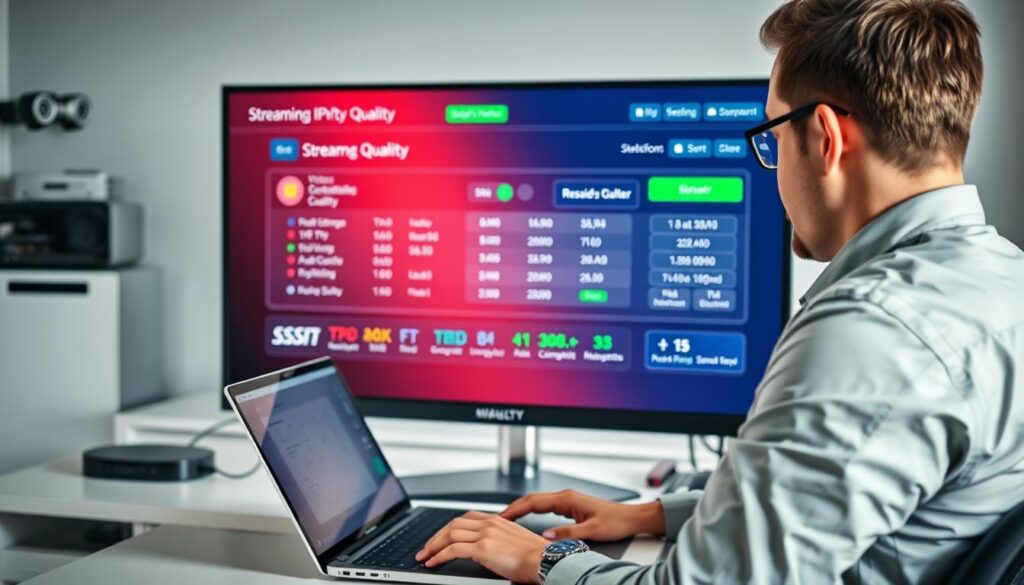
| Feature | Description |
|---|---|
| Instant Server Status | Active or Offline readout upon pasting a playlist URL. |
| Channel Counting | Counts valid #EXTINF tags for accurate channel numbers. |
| Response Time Measurement | Displayed in milliseconds or seconds, indicating server speed. |
| Privacy Protection | No logging or storing of playlist URLs; data wiped instantly. |
| Shareable Links | Optional feature for sending results without exposing URLs. |
Key Benefits of Using an IPTV Checker Before Choosing Your Service
Selecting the right streaming service is not just about content; it’s also about ensuring the quality of the connection. The advantages of using an IPTV checker are numerous, particularly for Irish viewers seeking reliable services. Below, I will outline the key benefits that have transformed my approach to streaming.
Saving Time by Avoiding Dead or Expired Links
The most immediate benefit I experience is the enormous time saving. The checker eliminates the need to manually test dozens of URLs that may already be dead or expired. I have wasted countless hours in the past loading non-functional playlists into media players. Now, a single query tells me the server status within seconds.
Ensuring Accurate Channel Availability for Irish IPTV
Ensuring accurate channel availability means I can cross-reference the checker’s channel count against the provider’s claims. This allows me to flag any discrepancies before money changes hands. Knowing that the data I rely on is precise enhances my confidence in the recommendations I make.
Using Real-Time Data for Better Decision-Making
Real-time data empowers my decision-making process. I base my recommendations on current server performance rather than outdated reviews or marketing materials. This approach helps me to provide my readers with the most relevant and accurate information regarding their streaming options.
Lightweight, Fast, and User-Friendly Tools at My Fingertips
The lightweight nature of the checker means I can run it from any browser without installing software. This flexibility is invaluable when I am evaluating services on different devices throughout my workday. I appreciate that the advanced caching system prevents server overload, ensuring my repeated checks do not degrade the service for others.
The user-friendly interface presents complex server response data in an accessible format. This allows me to interpret results at a glance without needing technical deep-dives. Additionally, when I export working streams as an M3U file, I create a curated playlist containing only verified channels, saving further time when I sit down to watch Irish content.
Finally, the checker’s ability to handle both .m3u and .m3u8 URLs means I never have to worry about format compatibility, regardless of which provider I am evaluating. For deeper account analysis involving Xtream Codes credentials, I know I can escalate to the IPTV Checker Pro tool. However, for rapid playlist verification, the lightweight checker remains my go-to instrument.

Conclusion
In the fast-evolving landscape of streaming, ensuring quality is essential for viewers in Ireland. The tools available online provide instant, privacy-focused verification of M3U and M3U8 playlist URLs without requiring downloads or account signups. They deliver server status, channel counts, and response time data in milliseconds, enabling users to make informed decisions about streaming services.
My consistent use of an IPTV checker has transformed how I evaluate streaming services for the Irish market. I refuse to consider any provider until I have confirmed that the server is active and responsive. The combination of instant status readouts and precise channel counting gives me a comprehensive picture that no marketing can replicate.
By sharing my methodology, I hope to equip other Irish streamers with the knowledge they need to avoid dead playlists and unreliable providers. Ultimately, the few seconds spent checking each URL saves hours of frustration and ensures that the services I recommend deliver genuine value.