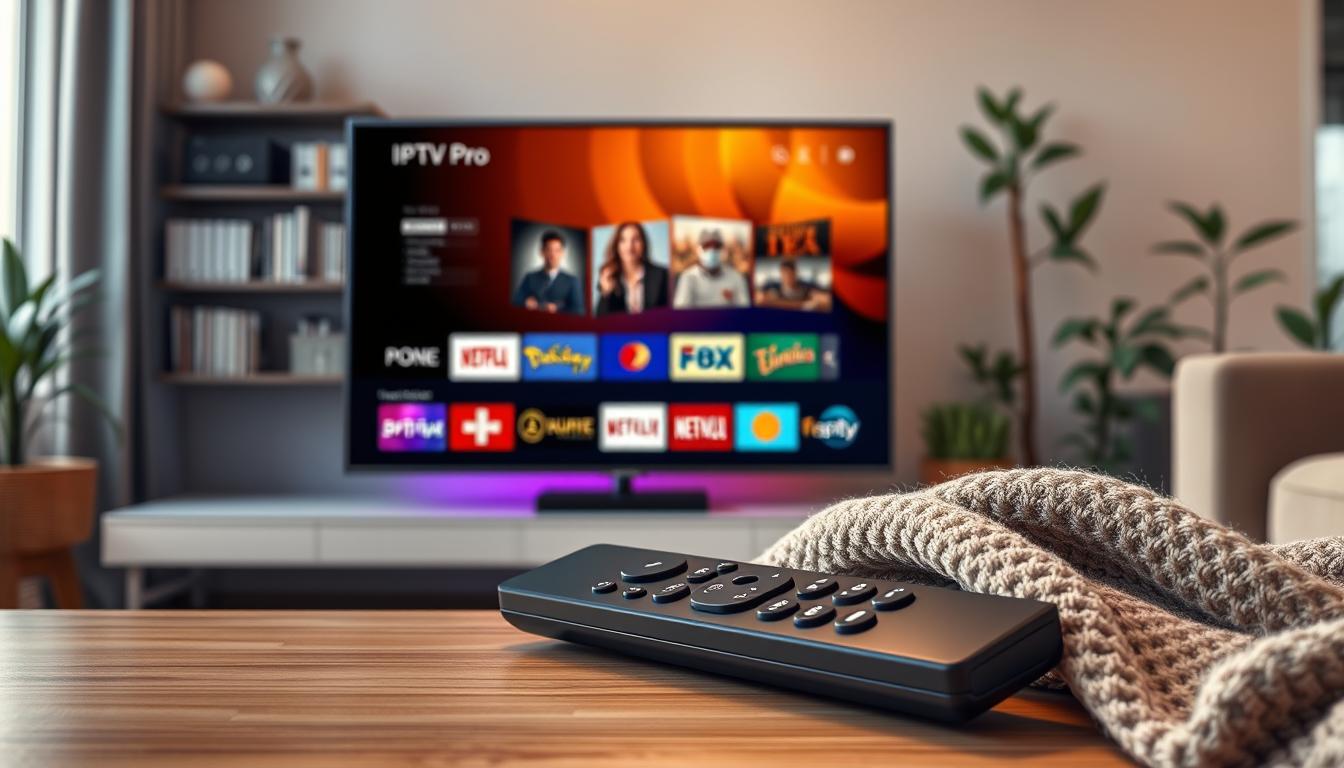
In today’s digital age, streaming has become a primary source of entertainment. IPTV Pro is a dedicated media player application designed exclusively for this purpose. Developed by Youssef Jannaj under Jannaj Apps, it is available on the Apple App Store for iOS and iPadOS devices.
This app functions as a sophisticated player, allowing users to load their own M3U, M3U8, XSPF, or JSON playlists. Alternatively, you can connect through Xtream Codes API credentials from your licensed IPTV provider. It’s essential to note that IPTV Pro does not host or distribute any video content; it simply plays the content you provide.
Available for devices running iOS 17.0 or later, this app offers a seamless experience across all devices linked to the same Apple ID. With features like 4K HDR streaming and an enhanced user interface, it transforms your existing IPTV subscription into a premium viewing experience.
In this article, I will cover everything from installation and device compatibility to subscription pricing and privacy policies. Understanding these aspects will help you make the most of your IPTV experience in Ireland.
Key Takeaways
- IPTV Pro is a media player app for streaming content from your own IPTV subscriptions.
- It requires users to provide their own playlists or connect via Xtream Codes API.
- The app is available on the Apple App Store for iOS and iPadOS devices.
- It does not host or distribute any video content.
- IPTV Pro supports advanced features like 4K HDR streaming and an improved user interface.
Understanding IPTVs Pro – What It Is and How It Works
With the rise of online streaming, IPTV Pro emerges as a key player in the media landscape. This application operates as a universal media player, capable of ingesting multiple playlist formats such as M3U, M3U8, XSPF, and JSON. This flexibility allows users to connect to any IPTV provider of their choice.
The integration of the Xtream Codes API is a standout feature. It enables users to connect effortlessly using their provider’s server URL, username, and password. The application automatically recognises and configures these connections, making the setup process remarkably simple.
Moreover, IPTV Pro employs an intelligent playlist organisation algorithm. This feature automatically detects the type of playlist you import and assigns channels to the appropriate categories. Even disorganised M3U playlists can be sorted into a coherent structure, enhancing your viewing experience.
Another significant aspect is the Electronic Programme Guide (EPG) functionality. This feature automatically finds and loads programme information from your playlists without any manual setup. Users can enjoy a full-screen timeline view with XMLTV support and robust search capabilities.
IPTV Pro also excels in handling various content types. Whether you want to watch live TV, browse video on demand, or catch up on missed shows, the application provides a single interface for all your needs. This flexibility ensures that you can enjoy your favourite content without hassle.
To keep your channel list up to date, the app features an automatic refresh mechanism. This means you won’t have to manually reload your playlist when your provider adds new channels or content. This functionality is crucial for maintaining a seamless viewing experience.
It’s important to note that IPTV Pro functions purely as a player. To access any content, you must have a valid IPTV subscription from a licensed provider. The application itself does not contain any built-in channels or streams.
Lastly, the app’s dropdown interface displays your most-used playlists at a glance. This design provides quick access to all your content without the need to navigate through multiple menus, making it user-friendly and efficient.
Features and Capabilities of iptvs pro in Ireland
IPTV Pro stands out in the crowded streaming landscape with a plethora of features that enhance the viewing experience. Its versatility in handling various playlist formats is one of its key strengths. This application supports M3U, M3U8, XSPF, and JSON playlists, making it compatible with virtually every IPTV provider available in Ireland. Additionally, the Xtream Codes API connection allows for seamless integration, ensuring your playlists are always up to date with an automatic refresh feature.
Supported Playlists and Formats
The ability to work with multiple playlist formats is essential for any streaming application. IPTV Pro excels in this area, as it accommodates M3U, M3U8, XSPF, and JSON files. This flexibility ensures that users can easily connect to their preferred IPTV providers without hassle. The integration of Xtream Codes API further simplifies the process, enabling quick access to channels and content.
Streaming Quality and Playback Control
When it comes to streaming quality, IPTV Pro does not disappoint. It offers 4K HDR streaming with hardware-accelerated playback, ensuring that you enjoy cinema-quality visuals. The adaptive bitrate streaming feature automatically adjusts video quality based on your internet connection, providing a smooth viewing experience even during fluctuating bandwidth.
Moreover, the application includes smart playback controls. You can adjust playback speed, resume watching from where you left off, and select from multiple audio tracks when available. These features give you complete control over your viewing experience, allowing for a tailored approach to how you consume content.
Parental Controls and User Profiles
For families, IPTV Pro includes robust parental controls. This feature allows you to lock specific channels behind a PIN code, creating a safe viewing environment for children. The advanced profile management system introduced in version 3.0.3 enables separate profiles for each household member. Each profile can be customised with unique avatars and content access, ensuring that everyone can enjoy their favourite shows without interference.
Additionally, the Picture-in-Picture functionality allows you to watch content in a floating window while using other applications on your device. This feature enhances multitasking, making it easy to stay connected while enjoying your favourite shows.
Lastly, the iCloud Sync feature automatically synchronises your playlists, favourites, and settings across all devices using the same Apple ID. This means you can set up once and enjoy your content anywhere, making IPTV Pro a truly convenient solution for streaming enthusiasts.

Installation and Device Compatibility
The installation of IPTV Pro is designed to be intuitive, allowing users to quickly set up their streaming experience. This application is readily available on the Apple App Store for iPhone, iPad, and Apple TV. To use the app, you need iOS 17.0 or later, and it has a file size of 145.4 MB.
IPTV Pro is specifically tailored for iPad and Apple TV, with the latter optimised for the Siri Remote. This ensures that users can enjoy the full 4K HDR experience on larger screens. Additionally, the app supports iCloud Sync across all Apple devices linked to the same Apple ID, allowing seamless access to your playlists and settings.
Supported Devices Overview
Here’s a quick overview of the devices that support IPTV Pro:
- iPhone
- iPad
- Apple TV
For Android users, a separate IPTV Pro application is available on the Google Play Store. This version supports M3U and M3U8 playlists and includes features such as Picture-in-Picture, audio track selection, and subtitle support.
Step-by-Step Installation Guide
To install IPTV Pro on your iOS device, follow these simple steps:
- Open the App Store on your device.
- Search for IPTV Pro by Jannaj Apps.
- Verify the developer name to ensure authenticity.
- Tap the download button to install the 145.4 MB application.
Once installed, you will need to configure the app. Grant the necessary permissions and add your first playlist using either an M3U URL or Xtream Codes API credentials. The app will automatically organise your content using its channel detection algorithm.
For Apple TV users, you can download the app directly from the tvOS App Store. If iCloud Sync is enabled, your settings will sync from your iPhone or iPad, ensuring a hassle-free setup.
While IPTV Pro is primarily designed for the Apple ecosystem, Android users can explore alternative IPTV player applications on the Google Play Store that support M3U and M3U8 playlists.
For those with Smart TVs, streaming sticks, or Android TV boxes, other IPTV player options exist that offer broader device compatibility. However, the core experience of IPTV Pro is optimised for Apple hardware.
Lastly, if you encounter any installation issues, ensure your device meets the iOS 17.0 requirement and that you have enough storage space for the application.
Subscription Plans and Pricing Options
Understanding the financial aspects of IPTV Pro is essential for maximising your streaming experience. This application offers two distinct subscription options to cater to different user needs.
The first is the Monthly Plan, priced at $3.99 per month. This plan provides full access to all premium features with flexible billing, allowing you to cancel at any time without penalties.
The second option is the Lifetime Access plan, which requires a one-time payment of $29.99. This grants you permanent access to all current features and any future updates, with no recurring charges ever.
It’s worth noting that the application itself is free to download from the App Store. However, unlocking the complete suite of premium features necessitates one of the in-app purchases, which supports the small development team behind the app.
Many users find the Lifetime Access option to be the most popular choice. It pays for itself after approximately seven and a half months compared to the monthly subscription. This option provides excellent value for those who plan to use the app long-term.
Historically, earlier versions of the app referenced UK pricing at £3.99 monthly and £12.99 for lifetime access. This demonstrates the developer’s commitment to adjusting pricing based on market conditions and feature expansions.
Importantly, these in-app purchases cover only the player application and are entirely separate from any IPTV subscription you may hold with a third-party provider. This is an additional cost to consider in your overall streaming budget.
For complete details on billing, cancellation, and refund policies, I recommend reviewing the official terms of service and the privacy policy.
If you have any subscription-related queries or feature requests, feel free to reach out to the developer, Youssef Jannaj, at [email protected].
| Subscription Type | Price | Billing Cycle | Features Included |
|---|---|---|---|
| Monthly Plan | $3.99 | Monthly | Full access to premium features |
| Lifetime Access | $29.99 | One-time payment | Permanently access all current and future features |
Privacy, Data Use and Terms of Service
In an era where privacy is paramount, it’s essential to know how IPTV Pro manages your information. The application collects and tracks identifiers across apps and websites owned by other companies, as outlined in its App Store privacy label.
There are two types of data collected: data linked to your identity, which includes identifiers, and data not linked to your identity, encompassing usage data and diagnostics. This information is gathered to improve the app’s performance.
Importantly, the application does not collect, store, or have access to the actual content you stream through your playlists. It functions purely as a media player without any content hosting capabilities.
For comprehensive details, you can review the full privacy policy hosted on the developer’s website. This document provides extensive information about data handling practices, user rights, and compliance measures.
The terms of service outline key provisions, including the explicit statement that users are responsible for ensuring they have legal rights to access any content played through the app. Understanding this is crucial, as all content sources must comply with copyright laws and licensing requirements.
As an Irish user, it’s worth noting that since the app is distributed through the Apple App Store, it must adhere to Apple’s privacy standards and the GDPR framework applicable in Ireland. This ensures that your data is handled with care and in compliance with legal obligations.
If you have any privacy-related inquiries or data access requests, you can reach the developer, Youssef Jannaj, at [email protected].
Overall, the transparency of having privacy details clearly listed on the App Store product page sets a standard in the industry, allowing users to make informed decisions about their data.

User Experience and Interface Design
The user experience is at the heart of IPTV Pro, making it a standout choice for streaming enthusiasts. The complete redesign introduced in version 3.0 features premium visuals and improved navigation, all while focusing on content. This transformation significantly enhances how you interact with your IPTV library on Apple devices.
The interface has been meticulously optimised for both touch interactions on iPhone and iPad, as well as remote-based navigation on Apple TV. Special attention has been given to the Siri Remote, ensuring smooth and intuitive control.
Furthermore, the revamped player interface simplifies the customisation of your viewing experience. Easily accessible controls for playback speed, audio track selection, and subtitle configuration are available without interrupting your stream. This design allows for a seamless transition between different types of content.
One of the standout features is the beautiful full-screen EPG timeline view. This presents programme information in a browsable format, complete with search functionality and smart reminders. You’ll never miss your favourite shows again!
New visual indicators help users swiftly identify recently added settings and features, reducing the learning curve when updates are released. The content organisation tools are particularly impressive, allowing you to create custom collections by combining items from multiple playlists, marking favourites for quick access, and setting reminders for upcoming programmes.
Moreover, the interface handles content ratings with greater precision, helping you make informed viewing choices. The multi-language support extends to the interface itself, with customisable channel categories enhancing user experience.
With iCloud Sync, your carefully organised interface, favourites, and settings follow you seamlessly from iPhone to iPad to Apple TV. This feature ensures that your personalised setup is always at your fingertips.
Overall, the design philosophy prioritises getting you to your content quickly. The dropdown interface displays your most-used playlists at a glance, while intelligent channel sorting reduces the time spent navigating menus. IPTV Pro truly transforms your viewing experience into something exceptional.
How iptvs pro Supports Smooth Streaming in Ireland
The technology behind IPTV Pro plays a pivotal role in ensuring users can enjoy smooth and uninterrupted streaming. This application leverages a hardware-accelerated 4K playback engine, optimised for Apple devices. This means that the full processing power of your device is harnessed for the best possible viewing experience.
One of the standout features is the adaptive bitrate streaming technology. This innovative system continuously monitors your internet connection speed and automatically adjusts video quality. As a result, you can prevent buffering and enjoy seamless viewing, even when your broadband fluctuates.
Version 1.6.1 introduced improved bitrate handling and smarter caching mechanisms. These enhancements optimise how the app buffers content, delivering smoother playback with fewer interruptions. You will spend less time waiting for your content to load and more time enjoying your favourite shows.
Additionally, version 3.0.2 brought enhanced streaming performance and quicker channel switching. This means that switching between live channels is now faster than ever, allowing you to dive right into your desired content.
The more reliable playlist auto-refresh feature ensures that your channel list remains current without manual intervention. Coupled with an improved EPG guide, navigating programme information has never been more fluid and responsive.
Recent updates have also addressed subtitle rendering, ensuring that subtitles appear crisp and synchronised without impacting playback performance. This attention to detail enhances the overall viewing experience.
Moreover, iCloud Sync plays a crucial role in maintaining a smooth experience. It ensures that your playlists, favourites, and settings are consistent across all your devices. You can start watching on one device and continue on another without missing a beat.
For Irish users, these performance optimisations are particularly beneficial. Households with varying broadband speeds will appreciate how adaptive streaming adjusts to deliver the best possible quality for their connection. The combination of hardware acceleration, intelligent caching, and adaptive bitrate streaming makes IPTV Pro one of the most reliable players for maintaining smooth playback across live channels, movies, and on-demand content.
| Feature | Description |
|---|---|
| Hardware-Accelerated Playback | Utilises full processing power of Apple devices for 4K streaming. |
| Adaptive Bitrate Streaming | Automatically adjusts video quality based on connection speed. |
| Improved Bitrate Handling | Optimises buffering for smoother playback. |
| Quicker Channel Switching | Reduces wait time between channels. |
| Reliable Playlist Auto-Refresh | Keeps channel lists current without manual updates. |
| Enhanced Subtitle Rendering | Ensures subtitles are crisp and synchronised. |
| iCloud Sync | Maintains consistency across devices for a seamless experience. |
Comparing iptvs pro with Other IPTV Players Available in Ireland
In the realm of IPTV players, understanding the distinctions between them can greatly enhance your viewing experience. One of the most notable competitors to IPTV Pro is IPTV Smarters Pro. This application is available on various platforms, including Android, iOS, Smart TVs, and Firestick, offering a broader device compatibility than IPTV Pro.
Both applications support M3U playlists and Xtream Codes API, ensuring that users can access their preferred content. They also provide features such as 4K HDR streaming, Electronic Programme Guide (EPG), and parental controls. However, IPTV Pro sets itself apart with deeper integration into the Apple ecosystem, including features like iCloud Sync and optimisations for the Siri Remote.
Here’s a quick comparison of key features:
| Feature | IPTV Pro | IPTV Smarters Pro |
|---|---|---|
| Device Compatibility | Apple devices only | Android, iOS, Smart TVs, Firestick |
| Streaming Quality | 4K HDR | 4K HDR |
| EPG Support | Yes | Yes |
| Parental Controls | Yes | Yes |
| iCloud Sync | Yes | No |
| Siri Remote Optimisation | Yes | No |
Pricing models also differ between the two. IPTV Pro offers a subscription plan of $3.99 monthly or a one-time payment of $29.99 for lifetime access. In contrast, IPTV Smarters Pro is free to download but requires a paid IPTV subscription for content access. This makes IPTV Pro a more straightforward option for those who prefer a clear pricing structure.
Despite these differences, both applications function purely as media players and do not provide any content. Users must have a valid IPTV subscription from a licensed provider, regardless of the player they choose.
User experience can vary significantly. IPTV Pro features a redesigned interface prioritising content navigation, while IPTV Smarters Pro may offer a different organisational approach. Additionally, as a newer app, IPTV Pro has yet to accumulate enough ratings on the App Store to display an overview, which is common for applications in this category.
Privacy and data handling practices are also crucial. IPTV Pro transparently discloses its data collection practices on the App Store, which is essential for privacy-conscious users in Ireland. This level of transparency can influence user choice significantly.
Ultimately, choosing the right IPTV player depends on your specific needs. If you are deeply invested in the Apple ecosystem and value features like iCloud Sync and Siri Remote optimisation, IPTV Pro may be the better choice. However, if you seek broader device compatibility and a free option, IPTV Smarters Pro could suit you better.
Conclusion
In a world increasingly driven by online entertainment, the right media player can transform how we consume content. IPTV Pro stands out as a powerful, Apple-optimised player that enhances your existing IPTV subscription. It offers features like 4K HDR streaming, adaptive bitrate technology, and an intuitive interface, making it a compelling choice for users in Ireland.
Importantly, this app is solely a player and does not host or distribute any content. Users must ensure they have the legal rights to access the streams they enjoy. The transparent pricing model, with options for both monthly and lifetime access, provides excellent value for dedicated users.
Regular updates reflect the developer’s commitment to improving the app, incorporating user feedback and introducing new features. I encourage you to explore the app for yourself and consider your specific needs when selecting an IPTV player. For further information or queries, feel free to reach out to [email protected].