In this guide, I will share my experiences with IPTV Smarters, my preferred media player for streaming content in Ireland. This app, developed by SmartersPlayer LLC, has proven to be a reliable choice among various options available in the market. With a user-friendly interface and a robust set of features, it stands out as a strong contender for anyone looking to enhance their viewing experience.
Throughout this article, I will cover everything from the initial setup on different devices to my daily interactions with the Smarters Pro interface for live television and on-demand media. Having extensively tested this player, I aim to provide insights specifically tailored for Irish users seeking an effective solution for their entertainment needs.
With over 1.4K ratings on the App Store, this application has garnered a significant user base. It is important to note that while the app does not provide content directly, it serves as a sophisticated media player, allowing users to populate it with their own playlists and subscriptions. I will also highlight key topics such as installation, playlist management, and streaming performance, all framed within my personal experiences.
Key Takeaways
- IPTV Smarters is a versatile media player for streaming content.
- The app offers a one-week free trial for new users.
- It supports multiple devices, including iOS and macOS.
- The Pro version unlocks additional features after the trial.
- No user data is collected, ensuring privacy and security.
Understanding the Purpose of iptv smarters in Ireland
In this section, I aim to clarify the role of IPTV Smarters in the Irish streaming landscape. This application is fundamentally a sophisticated media player, not a content provider. Therefore, Irish users must supply their own M3U playlists or subscription credentials to unlock its full potential as an IPTV player.
The Smarters Pro application caters to a broad audience. It serves casual viewers who desire a straightforward streaming experience, as well as advanced users seeking granular control over their media libraries and playlist organisation. When I first downloaded the app, my intent was to consolidate multiple IPTV subscriptions into a single, elegant player interface. I was particularly interested in its ability to handle high-definition streams without buffering or crashing.
Moreover, Smarters is designed for users who already have access to IPTV services. It provides a reliable player to manage that content rather than serving as an all-in-one subscription solution. I had high expectations regarding the Pro version’s capabilities, including EPG support, multi-playlist management, and cross-device synchronisation. I intended to test these features thoroughly on my Irish broadband connection.
One aspect that impressed me was the application’s support for multiple login methods—URL, Xtream accounts, 1-Stream accounts, and file upload. This flexibility signalled that Smarters was built with user needs in mind. In the competitive Irish market, this player positions itself as a premium IPTV player, prioritising speed and stability. The developer promises a clean viewing experience free from the lags and glitches common in competing applications.
| Feature | Description |
|---|---|
| Media Player | Acts as a sophisticated media player requiring user-provided playlists. |
| User Flexibility | Supports various login methods, enhancing user experience. |
| Target Audience | Catered for both casual and advanced users. |
| Performance | Prioritises speed and stability for high-definition streaming. |
An Overview of iptv smarters: Features and Functionalities
In this part, I will highlight the functionalities that distinguish IPTV Smarters from other media players. This application is not just another option in the crowded streaming market; it is designed to deliver an exceptional viewing experience tailored to user needs.
Key Features That Set IPTV Smarters Apart
One of the standout features of IPTV Smarters is its lightning-fast M3U streaming engine. The developer has optimised this technology to eliminate buffering and interruptions, allowing for a seamless viewing experience. This is crucial for users who want to enjoy their favourite shows without the frustration of lag.
Additionally, the EPG support built into the Smarters Pro interface mimics a traditional television guide. This makes browsing live channels as intuitive as using a set-top box in an Irish living room, enhancing user engagement and satisfaction.
Advanced Media Player Capabilities
IPTV Smarters excels in its advanced media player capabilities. It supports multiple video codecs and adaptive bitrate streaming, ensuring high-definition and even 4K content can be played without compromising on picture quality or audio synchronisation. This versatility makes it a top choice for those who appreciate superior media quality.
The intuitive playlist manager allows me to organise, reorder, and categorise my content across multiple playlists. This feature gives me complete control over how I access my media library within the Smarters player environment, making it easy to find what I want to watch.
Multi-language and Multi-platform Support
Recognising Ireland’s diverse population, IPTV Smarters offers multi-language support. The application interfaces in English and 17 other languages, ensuring that users from various backgrounds can navigate the app with ease.
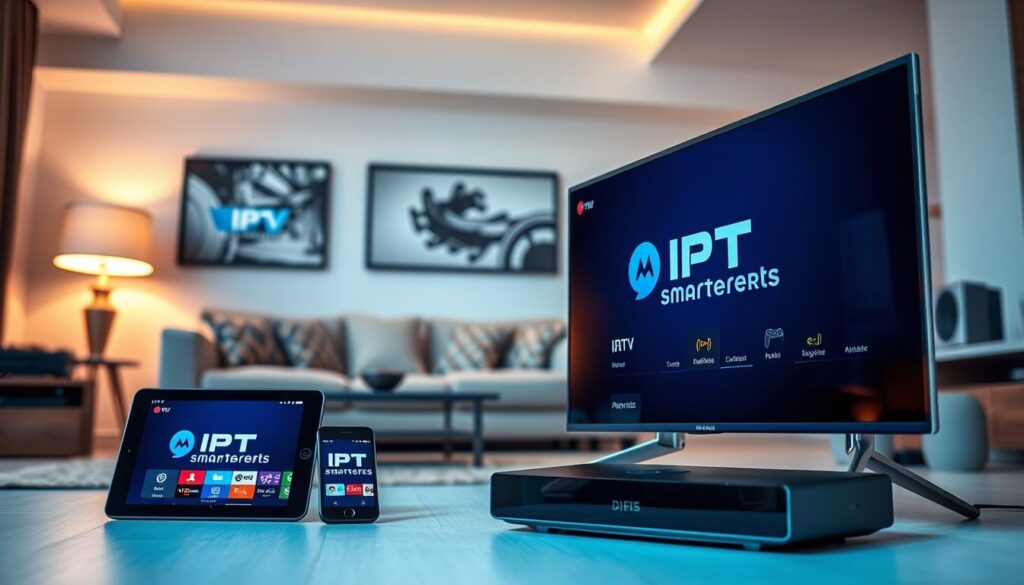
Moreover, the multi-platform support extends beyond my iPad to include Samsung and LG smart TVs, Roku devices, Android TV boxes, and even WhaleOS-powered televisions. This compatibility creates a seamless ecosystem for users, allowing them to enjoy their favourite content across different devices.
The easy use philosophy behind the application is evident in every design choice. From the straightforward playlist addition process to the clean, uncluttered layout prioritising content discovery, IPTV Smarters truly aims to enhance the user experience.
In conclusion, the Smarters Pro version builds upon these foundations with additional functionalities that enhance the overall streaming experience. This makes it a comprehensive media solution for Irish households, providing a robust platform for all entertainment needs.
Setting Up iptv smarters: How I Got Started
Getting started with IPTV Smarters was surprisingly simple, allowing me to dive into streaming quickly. The application can be downloaded from the App Store for iOS, tvOS, and macOS devices, requiring iOS 14.0 or later. At a compact size of 72.6 MB, it is remarkably efficient for such a feature-rich media player.
Downloading and Installing the App on Various Devices
I walked through the straightforward process of downloading IPTV Smarters from the App Store onto my iPad. The installation was smooth, and I also installed the Smarters Pro version on multiple devices, including my Apple TV via tvOS and my MacBook through macOS. The player maintained consistent performance across all Apple hardware in my Irish home.
Adding Playlists: URL, Xtream, and File Upload Options
Adding content to the application was equally easy. I began with the URL option, where I simply pasted my M3U link. Smarters instantly parsed and loaded all available channels and categories. The Xtream account login was just as seamless; it required only my server URL, username, and password. After entering these details, the player automatically populated with live television, video on demand, and series content from my IPTV provider.
For those who prefer to keep their playlists stored locally, the file upload option is a convenient alternative. This allowed me to import M3U files directly from my device’s storage into the Smarters player without any external dependencies.
Logging in with MAC Address and Device Key
Another useful feature is the MAC address and device key login method. This option is particularly beneficial for managing my playlists remotely through the web portal. It eliminates the need to re-enter credentials each time I set up a new device.
I must emphasise the easy use design of the setup process. The application guided me through each step with clear instructions and minimal technical jargon, making it accessible even to users who are new to IPTV technology in Ireland. The one-week free trial gave me ample time to test all setup methods and confirm that my content was loading correctly before I committed to activating the Pro version through the in-app purchase system.
My Everyday Experience Using the iptv smarters App
My daily interactions with the IPTV Smarters app have significantly enhanced my streaming experience. The interface is sleek and logically organised, featuring clearly labelled sections for live television, movies, series, and catch-up content. This layout makes navigation second nature after just a few sessions.
Interface Navigation and User Friendliness
Users often praise the app for its user-friendly design. I can easily switch between different sections, and the overall flow is intuitive. This thoughtful design allows even new users to quickly adapt to the app’s functionalities.
Streaming Performance and Quality
On my Irish broadband connection, the player delivers smooth, buffer-free playback on high-definition channels. This performance aligns with the developer’s promises and is echoed in numerous positive App Store reviews. However, I have noticed slight pixelation on certain HD channels when viewing on my iPad. The developer has acknowledged this issue and is committed to improving picture quality in future updates to the Smarters Pro application.
Playlist Management and Content Control
The playlist management tools are particularly impressive, granting me granular control over my content. I can hide unwanted categories, reorder channel lists, and create a personalised viewing experience that suits my preferences as an Irish viewer. The integration of the EPG enhances my everyday use by providing a familiar programme guide, displaying current and upcoming shows, which makes planning my evening entertainment straightforward.
In conclusion, the IPTV Smarters app has become my primary media hub, consolidating all my content into one reliable player. It performs consistently, whether I am watching live sports, news broadcasts, or on-demand films. I also appreciate the stability of the Pro version during extended viewing sessions, as it remains responsive and does not crash or overheat my devices—an improvement over other players I have tested in the past.
Device Compatibility and System Requirements
When it comes to streaming, compatibility is key. I have explored the various devices that support the IPTV Smarters application, ensuring that users in Ireland can enjoy a seamless experience regardless of their hardware.
The application requires iOS 14.0 or later, making it accessible for a range of Apple devices. It is compatible with:
- iPad
- Apple TV (tvOS)
- Mac computers (not officially verified but functions well)
- Samsung smart TVs
- LG smart TVs
- Roku devices
- Android TV boxes
- WhaleOS-powered televisions
During my usage, I tested the app on different screen sizes, from the compact display of my iPad to the expansive 55-inch Samsung smart TV in my living room. The Smarters Pro interface adapts seamlessly to each form factor without losing functionality or visual clarity.
Operating System Requirements and Updates
For Apple users, the requirement of iOS 14.0 or later ensures a smooth experience. The Smarters player also runs natively on Android TV, Roku, and WhaleOS platforms, which broadens accessibility for users across Ireland, regardless of their preferred ecosystem.
It’s crucial to keep the application updated. The current version, 2.2.0, was released on 15 July. This version addresses layout issues, crash fixes, API requests, and low-quality streaming at full screen for live content. Regular updates demonstrate the developer’s commitment to enhancing user experience.
Although the media player is not yet verified for macOS, I have confirmed its functionality on my MacBook Air running the latest operating system. This versatility adds to the app’s appeal for users who prefer different devices.
After the one-week trial, users must activate each device through the in-app purchase system. This ties the Pro licence to the specific hardware being used, ensuring that users get the most out of their investment.
The application’s compatibility with Roku and Android TV devices makes it an excellent choice for Irish users who prefer dedicated streaming hardware over built-in applications. This flexibility often leads to superior performance and a more reliable viewing experience.
Throughout my testing, I found that the Smarters player maintains consistent performance across all supported platforms. I observed identical channel loading speeds and stream stability when using the same playlists on multiple devices.
Customer Support, Updates, and Data Privacy
A closer look at the support and update mechanisms reveals the developer’s commitment to users. The SmartersPlayer LLC team has built a reputation for being responsive and knowledgeable. Many users, including myself, have experienced their quick turnaround on support inquiries.
For instance, I once encountered a playlist parsing issue and reached out through their website. Within hours, I received a helpful response that guided me to a solution. This level of support demonstrates their dedication to user satisfaction.
Responsiveness and Help from the Support Team
Reviews on the App Store consistently praise the support team for their efficiency. Users appreciate the technical expertise when addressing concerns related to the application. The promptness of their responses reassures me that I can rely on them whenever I face issues.
App Updates and Feature Improvements Over Time
The frequency and quality of updates for the Smarters Pro player are impressive. Since January 2025, the developer has released ten versions, each targeting specific bugs and enhancing the overall experience. For example, version 2.0 resolved the low-quality streaming issue that many users, including myself, had reported.
Moreover, version 2.1.0 fixed background mode API requests, improving multitasking on iOS devices. These updates reflect the developer’s commitment to refining the application continually.
Privacy Policy and Data Collection Stance
Another significant advantage of the IPTV Smarters application is its privacy policy. The developer explicitly states that no data is collected from users. This assurance provides peace of mind for privacy-conscious individuals in Ireland who worry about their viewing habits being tracked.
This no-data-collection stance sets the application apart from many competing players that monetise user information. It aligns with the stringent data protection standards expected under European regulations, making it a trustworthy choice for users.
In conclusion, the combination of responsive support, regular updates, and a transparent privacy policy greatly enhances my confidence in recommending the Smarters application to fellow Irish users seeking a reliable media player.
User Reviews and Common Issues Encountered
An examination of user feedback highlights the prevalent issues and celebrated features of the IPTV Smarters app. The insights gained from various reviews shed light on the overall user experience, revealing both commendations and criticisms.
Positive Feedback and Highlighted Benefits
App Store reviews are predominantly positive, with users consistently describing IPTV Smarters as the best IPTV player they have used. Many praise its sleek interface, smooth streaming performance, and intuitive playlist manager. One reviewer aptly referred to the Smarters player as the “gold standard for performance and dependability.”
- Sleek Interface: Users appreciate the clean design that enhances navigation.
- Smooth Streaming: Many report uninterrupted viewing experiences, particularly with live channels.
- Intuitive Playlist Manager: The ability to organise content easily is a frequently mentioned benefit.
- Responsive Support: Users commend the fast and helpful support team that resolves issues promptly.
Criticism and Troubleshooting Tips
Despite the overwhelmingly positive feedback, some criticism has emerged. Reports of pixelated picture quality on HD channels when using an iPad Pro have been noted. The developer has acknowledged this issue and committed to improving picture quality in a forthcoming update to the Pro version.
On Android devices, reviews indicate that the app contains numerous advertisements, with users reporting ads appearing on nearly every page. This has led some to uninstall the app before fully testing it. I advise Irish users to consider the iOS or tvOS versions of Smarters for an ad-free experience.
For those encountering common issues, here are some troubleshooting tips:
- Clear App Cache: If playlists fail to load, clearing the cache can resolve the issue.
- Verify M3U URL Formatting: Ensure the URL is correctly formatted when streams do not connect.
- Update Operating System: Keeping your device’s OS updated ensures optimal compatibility.
How I Personally Overcame Challenges
Initially, I faced challenges with playlist parsing errors. To overcome this, I switched from a file upload to an Xtream account login, which proved more reliable. This change gave me better control over my content organisation within the IPTV Smarters environment.
Managing multiple playlists without confusion is another aspect I focused on. Using the app’s built-in categorisation features, I labelled each source clearly, creating a unified viewing experience that masked the complexity of having several IPTV subscriptions.
Despite the occasional issues, the overall user sentiment and my personal experience confirm that Smarters Pro remains a highly capable IPTV player. It delivers on its core promises of speed, stability, and ease of use for the majority of users in Ireland.
Conclusion
As I conclude this guide, I want to highlight the strengths of my chosen media player. The IPTV Smarters application has truly earned its place as my primary tool for streaming content in Ireland. It delivers on its promises of speed, reliability, and user-friendly design across all my devices.
Key strengths include robust M3U and Xtream playlist support, intuitive EPG integration, and multi-platform compatibility. This allows me to transition seamlessly from my iPad to my smart TV without missing a moment of content.
Moreover, the developer’s commitment to privacy, with a no-data-collection policy, gives me confidence that my viewing habits remain private. This is especially important for privacy-conscious users throughout Ireland.
While there are areas for improvement, such as picture quality on certain high-definition streams and the ad experience on Android, I am optimistic that regular updates will address these concerns. For Irish users with existing subscriptions, Smarters represents an excellent choice, balancing powerful features with genuine ease of use.
I encourage readers to visit the developer’s website for the latest updates and to take advantage of the one-week free trial. My experience with IPTV Smarters has been overwhelmingly positive, simplifying my streaming setup while providing the control and flexibility I demand from a modern media application.